Installation and setup
Installation was straightforward and simple. I removed the treadmill from the box, raised the arms, and screwed in the four knobs. I attached safety key, plugged the cord into the wall, and pressed the on button. The treadmill was ready to go. The hardest part setup was lifting it out of the box; it’s rather heavy (84 lbs), as I would expect a treadmill to be.
While assembling the treadmill, I noticed a couple of issues. First, no matter how much I tightened the bottom knobs, the arms would not lock firmly into place. As seen in the video above, the entire console can move forward and backward two-and-a-half inches. This is a safety hazard; if I should stumble while walking and reach out to grab the arms of the console, I want it to be steady and not lurch around.
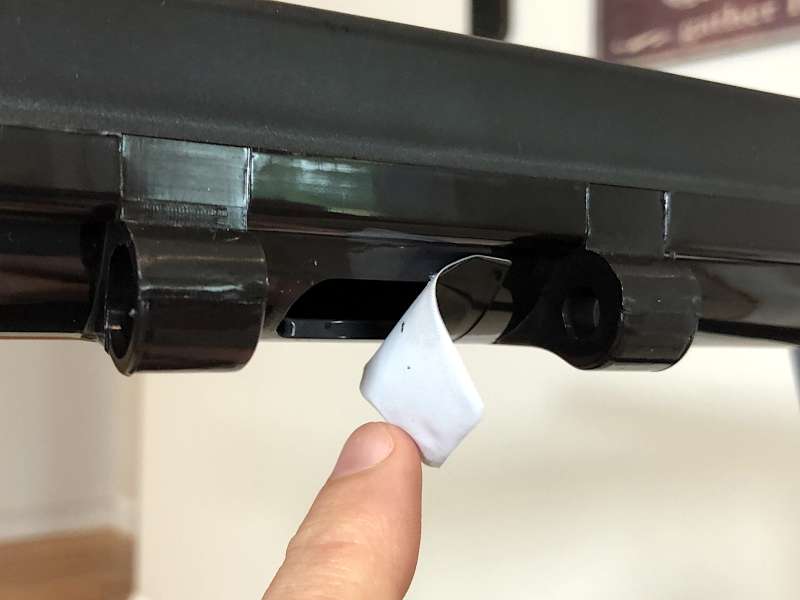
Two, there are a few oddities on the console itself. One, there are a pair of rounded slots that jut out from the front that look like they are for attaching another console, but there’s nothing to attach to it. Two, there’s an inch-and-a-half hole between the slots that’s covered with electrical tape. Three, there are silver strips on the handles that look like they are for monitoring my heart rate, but this treadmill doesn’t have that feature. It looks like UREVO changed their design part way through the process but didn’t bother to clean up all these anomalies.
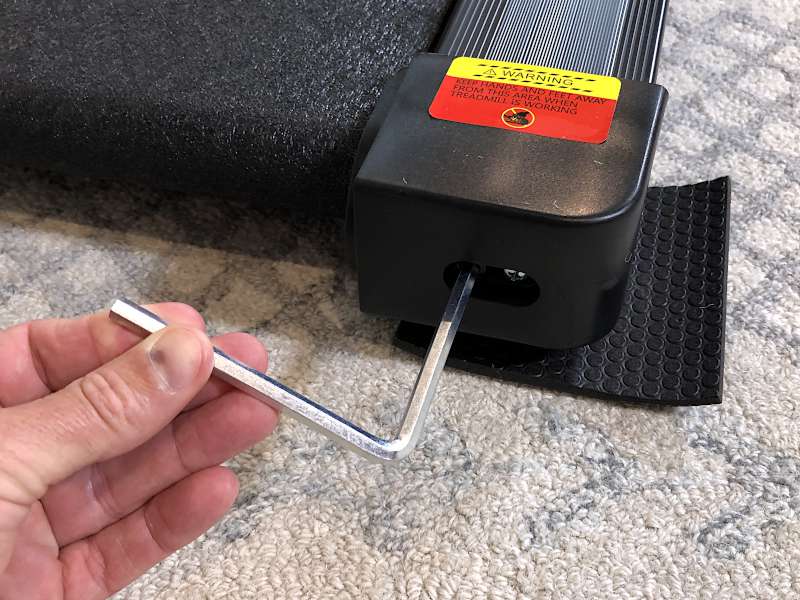
The manual has a section on how to tight the belt, should it ever loosen, and lubricate it. This can be done with the included hex wrench and the two bottles of lubricating oil. The manual doesn’t, however, explain what I should do with the included spanner tool, nor does it mention the purpose of the six rubber pads, though I’m pretty sure they are for putting under the treadmill’s feet.
Performance
I need a treadmill that can do one thing: Allow me to walk at my own pace. Given these simple requirements, UREVO’s treadmill is a homerun for me. My little routine is pretty simple. I grab Funtion101’s Apple TV remote—yes, I like it more than Apple’s new silver remote—turn on a How Ridiculous video or a show on Netflix, start the treadmill, set the speed, and start walking until the video is done. Easy. I find that 3 MPH is a comfortable walking speed for me, as that’s a pace that I can sustain for a long time.
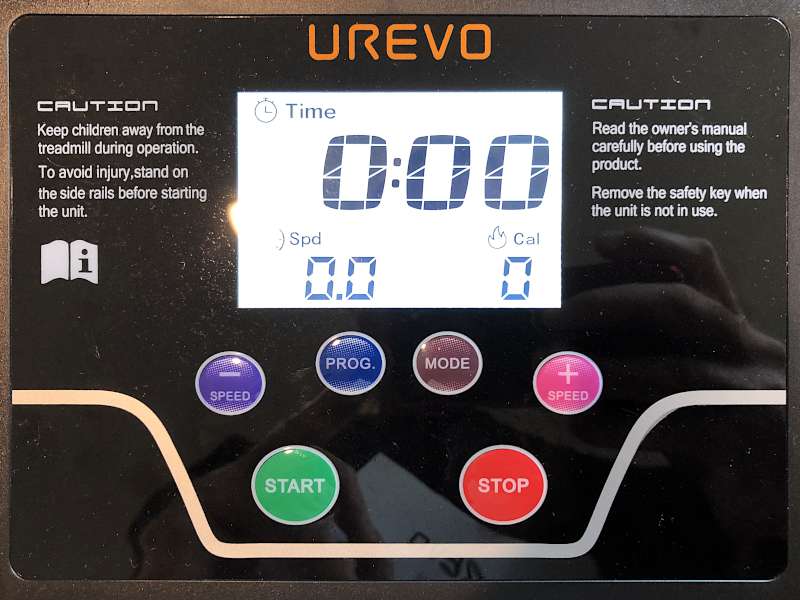
The manual is not very straightforward, particularly the section on the programs. The good news is that the console has a fairly simple interface, so with some experimentation, I was able to figure everything out. There are three ways to control the treadmill:
- The easiest way is to control the speed. I use the start button to turn it on and then press the + and – buttons to increase or decrease the speed. This is the setting that I always use, because I want to walk a constant speed.
- For more variety, I can use one of the twelve pre-loaded programs. I repeatedly press the program button to cycle through the programs, then I press start to begin. These are half-hour workouts that change the speed every couple of minutes. A chart in the manual gives the different speeds for each program. If the program includes a speed that is too fast for me, I can use the – button to decrease it, which is handy.
- If I want to set a desired outcome, I can repeatedly press the mode button to cycle through the three modes: time, distance, or calories. This lets me walk until a time is up, until I’ve gone a given distance, or until I burn some number of calories.
The console displays four values: Calories, time, speed, and distance. When my wife used the treadmill, she compared the values to those on her Apple Watch, and she found them to be pretty close, which is comforting.
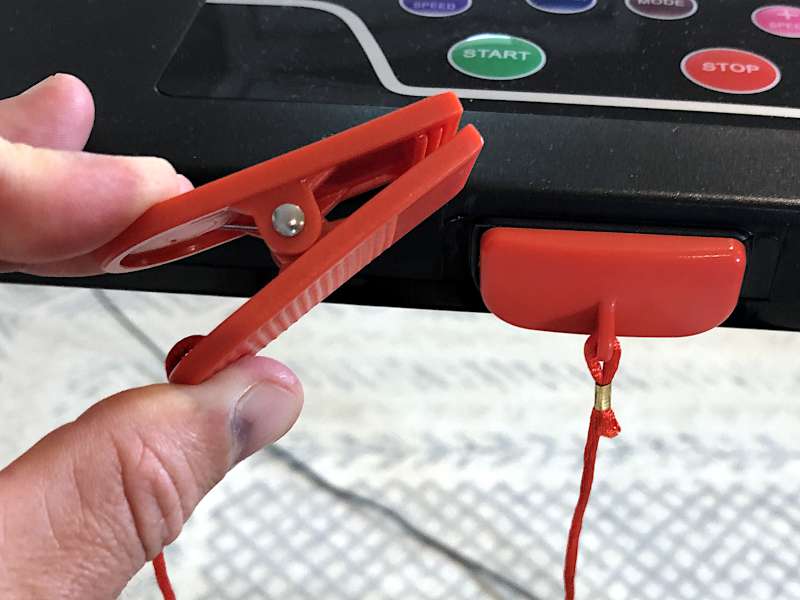
The primary safety feature of UREVO’s treadmill is a key that magnetically attaches to the front of the console. It has a 20-inch string with a clippie on the other end to attach to my shirt. If I should slide off the back of the treadmill, the magnet pops off the console and stops the motor. This feature works well.
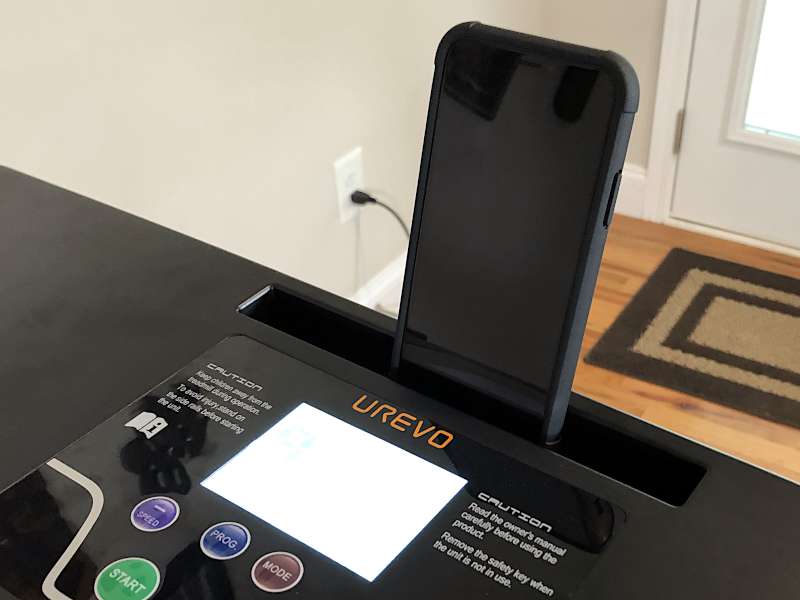
There’s a slot on the top of the console for holding a phone. It works fine if I’m listening to music or to an audio book, but it’s not very useful if I want to watch Netflix or YouTube videos. The console is a scant 36 inches above the treadmill’s belt, which forces me to look down at an awkward angle while I’m walking. This slot doesn’t work at all for tablets, because it’s not deep enough to securely prevent them from falling out. As I typically watched TV while walking, the holder wasn’t an issue for me.
The power cable is only 63 inches long, so I had to keep it near the wall in order to reach an outlet. I wish UREVO would have added two or three more feet to it.
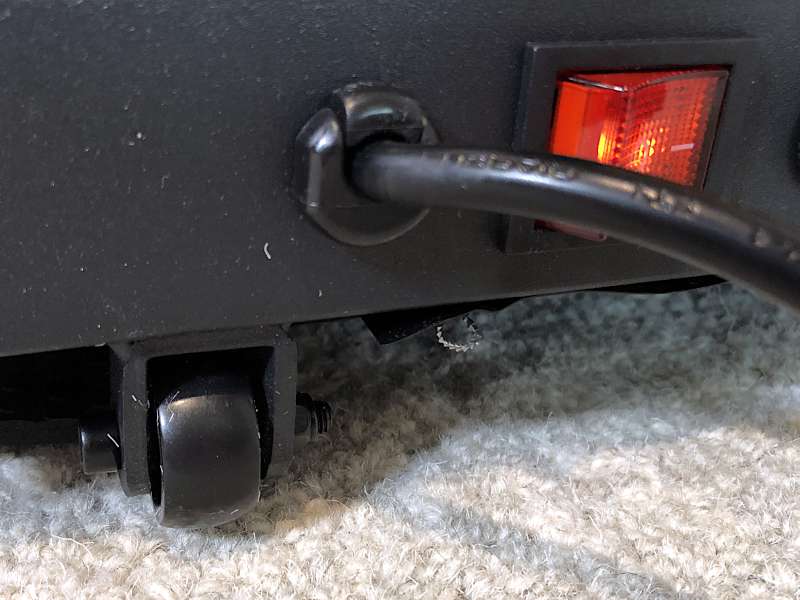
The treadmill can be folded down for storage under a bed. The four knobs have to be completely unscrewed to allow the arms to fold down and the console to lay flat. UREVO could significantly improve this by using some sort of quick-release mechanism, as the current process is not quick. There are a pair of small wheels on the front, which allow the treadmill to be rolled around. The angle of the wheels, however, do not allow them to be used when pushing it under the bed; that has to be done with brute force. This gadget isn’t really designed for me to pull out from under my bed, take a walk, and then put it back; it’s too cumbersome for that. Probably what I’ll do is leave it out until we have company, and then I’ll put it away. The wheels and knobs will work great for that.
UREVO’s treadmill currently sells for $360, which is expensive for a no-frills treadmill. Looking around Amazon, I can see that many other models in this price range can incline and have Bluetooth speakers and other features.
What I like
- It’s good for walking.
What I’d change
- Stabilize the arms and console
- Raise the height of the phone slot and make it deeper for tablets
- Use a quick-release for the knobs
- Lower the price
https://the-gadgeteer.com/